To your public profile and DNA
Photos added to your public profile are visible to everyone on Ancestry.
If you’ve taken an AncestryDNA® test and have chosen to see and be seen by your DNA matches, this photo will be shown to them.
- Go to Your Profile page.
- In the top-left corner, click the camera icon.
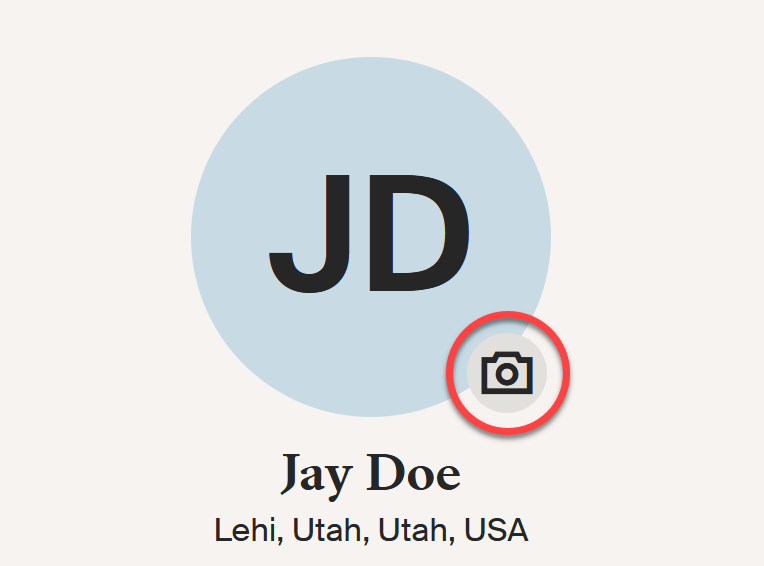
- Add, change, or remove your photo.
- To add or change your photo:
- Click Add or Change photo and choose Upload photo.
- Select the photo on your device, and click Open or OK.
- Click Save.
- To remove a photo, click the trash can [icon] and select Remove photo.
To people in your tree
- Go to your tree and select a person.
- On the opened card, click their profile image.
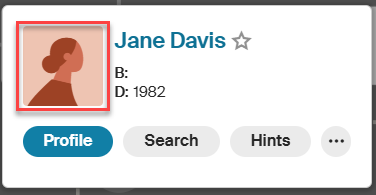
- Choose or upload a photo for their profile.
- To use an existing photo, select it from their gallery or All photos tab.
- To upload a new photo:
- Click Upload media, then Choose files.
- Select the photo on your device, and click Open or OK. Or drag and drop the photo into the upload box.
- If asked, add details like a title and date.
- Click Done.
Frequently asked questions
Can my tree profile and public profile have different photos?
Yes. You can use different photos for yourself in your tree and public profile. Simply choose or upload a separate photo for each.
Who can see my profile photos?
Any photo you add to your public profile is visible to everyone on Ancestry.
Profile photos for people in your tree follow your tree's privacy settings.
- If your tree is public, profile photos for deceased people will also be public. Photos connected to living people are automatically private.
- If your tree is private, only people you’ve invited to your tree can see those photos. Photos connected to living people are automatically private. Whether others can see photos of living people depends on their role and permission to the tree:
- Owners and Editors can always see living people and their photos.
- Guests and contributors can only see living people and their photos if you let them.
To learn more about inviting people, tree roles, and permissions for living people, read Sharing a Family Tree.
What photo is shown to my DNA matches?
If you’ve taken an AncestryDNA® test and have chosen to see and be seen by your DNA matches, your matches will see the photo from your public profile in their match list.
Can I add a profile photo for someone else’s DNA?
No. You can only add a profile photo to your own DNA. Even if you’ve been invited to someone else’s DNA results as a manager, collaborator, or viewer, you won't be able to add a profile photo to that test.
Can I add profile photos for people in someone else’s tree?
Your ability to add photos depends on your role in the tree:
- Owners, editors, and contributors can add photos.
- Guests and those not invited can’t add photos.
To learn more about inviting people to a tree, tree roles, or changing roles, read Sharing a Family Tree.


