Connecting AncestryDNA® matches to your tree can help you see who in the tree is or isn't a DNA match. It’s also a great way to help you understand how you’re related to your matches and to keep a record of those connections.
Knowing where a DNA match fits into your family can also help you collaborate--you’ll know what part of your tree they can help with, who they might be interested in, and shared relatives they may have stories and information about.
Identifying connected matches
From your DNA matches
- Matches who are connected to your tree are shown with a tree symbol in a solid green circle
 next to their photo.
From a treeTurn on possible DNA matches and connected DNA matches to see them in your tree.
- People in your tree who are already connected to a DNA match are shown with a DNA icon in a solid blue circle
 .
. - People in your tree who may also be one of your DNA matches, but aren’t connected yet, are shown with a DNA symbol in a circle outlined in blue
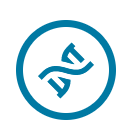 .
.
Connecting DNA matches to your tree
You can connect your DNA matches to person profiles in your tree if you’ve:
From DNA results
- From any page on Ancestry, click the DNA tab and select DNA Matches.
- Click on the name/username of a match in your tree.
- Click Connect to tree.
- In the opened side panel, enter their name and select it when it appears.
- That DNA match and the person in your tree are now connected.
- (Optional) Click their name to go to their tree profile or View in tree to see them in the tree.
From a tree
- Go to the tree linked to your DNA results.
- Click on someone who shows a Possible DNA match icon.
- In the Possible DNA Match section of the opened card, click Yes.
- That person in your tree and DNA match are now connected.
- (Optional) Click View match profile to go to the match’s DNA profile page.
Removing DNA matches in your tree
Removing a match connection doesn’t delete that person from your tree or match list; it just removes that match’s connection to a specific person in your tree. Removing a match connection from your tree is permanent and can’t be undone. You can recreate that connection anytime by following the steps again for
connecting DNA matches to your tree.
- Go to the tree linked to your DNA results.
- Click on someone who shows a Connected DNA match icon.
- In the Connected to DNA Match section of the opened card, click Yes. If necessary, click the down arrow to expand that section.
- Click Remove.
- To confirm, click Yes.
Turning DNA options “on” or “off” for your tree
- Go to the tree linked to your DNA results.
- In the toolbar on the left, click More (three dots) and select Tree viewing options.
- Choose which DNA icons to see in your family tree by turning their switches “on” or “off.” If necessary, click the down arrow next to DNA to expand the section.
 ThruLines® icons indicate your DNA matches may also be related to this person.
- Possible DNA matches are people who may also be one of your DNA matches.
- Connected DNA matches are people in your tree who are already linked to a DNA match.
Only the viewers, collaborators, and managers of the AncestryDNA result(s) linked to a tree can see ThruLines® and DNA match relationships on a tree.


