Relationships in your tree are calculated based on data from your tree and do not take into account AncestryDNA® results.
- Go to your tree.
- In the toolbar on the left, click More (three dots) and select Tree Settings.
- On the right side of the page, under Who you are in this tree, click choose. (If you've already set yourself as “who you are,” skip to step 5.)
- Begin typing your name and select it from the drop-down menu that appears.
- Click Select.
- Return to your tree, click on a person, and in the opened card, choose Profile.
- Their relationship with you will appear beside their profile photo.
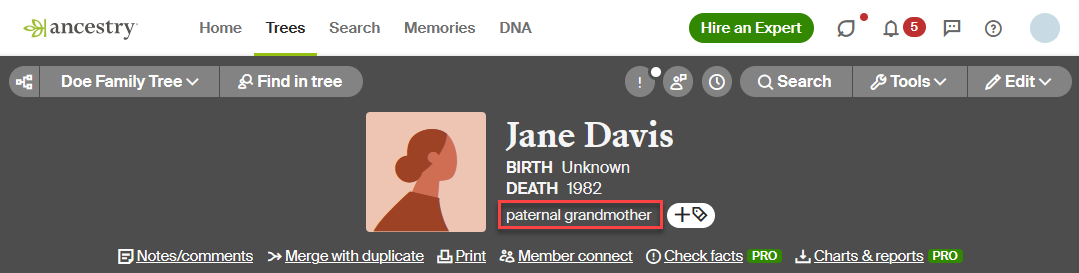
- Click on the relationship to see the connection. 17th great-grandparents and further back will not display the relationship.
When people are related in multiple ways
If someone in your tree is related to you in multiple ways (for example, if they're your 9th cousin and they're also married to your aunt), the relationship on their profile page will display the biological relationship before a relationship through marriage, unless the relationship through marriage is a spouse or parent-in-law—in which case, the spouse or parent-in-law would be displayed first. In this example, your uncle would be displayed as your 9th cousin.


